Documentation
Everything you need to install, configure, and get the most out of WanderLux — for both the Free and Pro editions.
1 Overview
WanderLux turns WordPress into a complete travel-agency website. Holiday packages, standalone activities, and destination guides are managed as their own content types, each with galleries, itineraries, pricing, and reviews. Visitors search by destination, travel month, and holiday type from the homepage, browse curated sections, and either submit a quick enquiry or — on the Pro edition — complete a full online booking with payment-method selection.
The theme ships as two separate installable packages built from the same codebase:
- WanderLux Free — every public-facing template, the hero search, lead-capture enquiries, and a focused admin dashboard.
- WanderLux Pro — everything in Free, plus the multi-step booking & payment flow, Wishlist, admin Bookings/Analytics/Subscribers, the newsletter popup, and GA4/GTM tracking.
You only install one of the two zip files — never both at once.

2 System Requirements
| Requirement | Minimum |
|---|---|
| WordPress | 6.0+ |
| PHP | 7.4+ (8.x recommended) |
| MySQL / MariaDB | 5.7+ / 10.3+ |
| Memory limit | 128 MB (256 MB recommended) |
The Pro edition creates one custom database table for bookings automatically on activation — no manual setup required.
3 Installation
Method A — Upload via WordPress Admin (recommended)
- In your WordPress dashboard go to Appearance → Themes → Add New → Upload Theme.
- Choose WanderLux-Free.zip or WanderLux-Pro.zip and click Install Now.
- Click Activate once the install finishes.
Method B — FTP / File Manager (if the uploader is blocked)
Some hosts block zip uploads containing .php files. If you see "the package could not be installed", use this instead:
- Extract the zip on your computer — you'll get a WanderLux folder.
- Upload that folder into wp-content/themes/ via FTP or your host's File Manager.
- Activate it from Appearance → Themes.
4 Demo Data Import
- Go to WanderLux → Demo Data in the admin menu.
- Click Install Demo Content to create sample packages, activities, destinations, pages and a menu.
- Wait 20–60 seconds for it to finish.
6 Theme Settings
All agency-wide settings live under WanderLux → Settings:
| Section | Controls |
|---|---|
| General | Logo, currency, tagline |
| Contact | Phone, email, WhatsApp number |
| Social Links | Facebook, Instagram, YouTube |
| Newsletter Popup PRO | Enable/disable, offer text |
| Analytics & Tracking PRO | GA4 / GTM IDs |
7 Customizer
Appearance → Customize gives you live-preview options for Site Identity, Hero Content, and Footer copyright text. For deeper visual changes, design tokens are defined as CSS custom properties at the top of assets/css/main.css.
8 Custom Post Types
- Packages
wl_package— price, duration, gallery, itinerary, inclusions/exclusions, FAQ, map - Activities
wl_activity— standalone bookable activities - Destinations
wl_destination— country, climate, best time to visit - Testimonials & Team — homepage reviews carousel and agent profiles
9 Hero Search Bar
Destination (free-text with autocomplete), travel month, and holiday type filters submit straight to the packages archive with matching filters applied. The Holidays / Activities / Destinations tabs are plain links — they always work even if a script fails to load.
10 Lead Enquiries (Free & Pro)
The "Plan My Trip" modal is the universal lead-capture form available on every page. Submissions email you instantly and are saved under WanderLux → Enquiries with a status pipeline (New / Contacted / Quoted / Booked / Lost).
11 Booking & Payments PRO
On Pro, "Book This Tour" opens a 3-step modal: Trip details (date, travellers, payment method), Contact details, and Review & confirm. On submit, a unique booking reference is generated, confirmation emails go to both customer and admin, and the visitor is redirected to a Booking Confirmation page.

12 Wishlist PRO
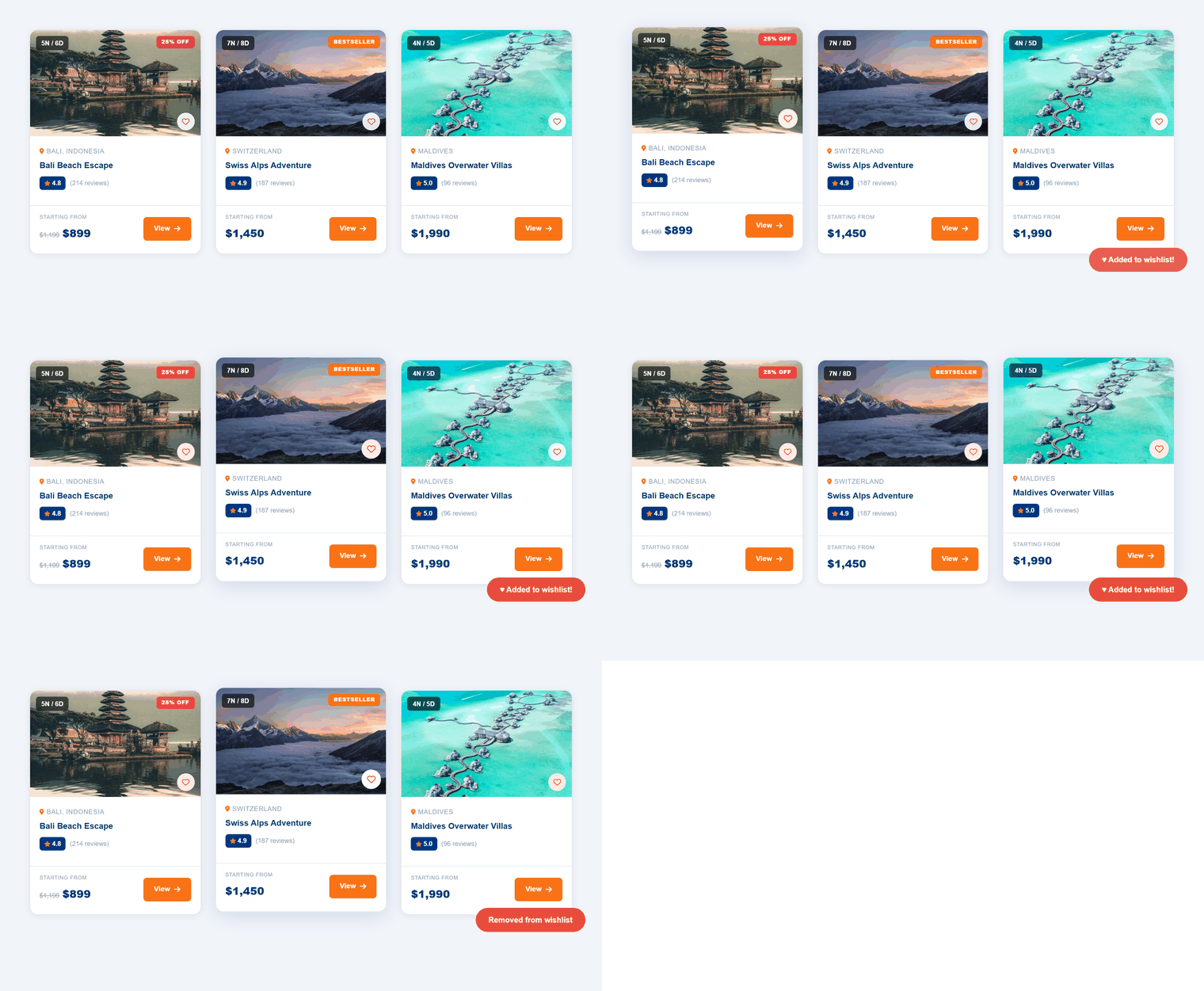
The heart icon on every package card saves it to a personal wishlist stored in the browser, viewable at /wishlist/. On Free the icon shows an upgrade message instead of saving.
14 Admin Dashboard
Free shows enquiries, package counts, and an upgrade card. Pro adds revenue/booking charts, top packages, and dedicated Bookings and Analytics admin pages — hidden entirely from the menu on Free, not just locked.
15 Analytics & Tracking PRO
Paste a GA4 Measurement ID and/or GTM ID into Settings and the snippets are injected automatically. A generate_lead GA4 event fires automatically on every enquiry submission.
16 Free vs Pro
See the full side-by-side comparison on the Pricing page.
17 Troubleshooting
"The theme is missing the style.css stylesheet"
The zip didn't extract correctly server-side — use Method B (FTP / File Manager) from the Installation section instead.
Booking / Wishlist buttons don't do anything
Confirm you installed WanderLux-Pro.zip, not Free — these are Pro-only features.
Emails aren't arriving
WordPress's default mail() function is often blocked or flagged as spam by hosts. Install an SMTP plugin (e.g. WP Mail SMTP) for reliable delivery.
18 Credits & Support
- Font Awesome 6 — icons
- Google Fonts (Playfair Display, Inter) — typography
- Flatpickr — date picker (Pro)
- Chart.js — admin analytics charts (Pro)
Need help? Contact us.